Let’s be honest: starting an online store can feel like trying to build a car while driving it. You know you want to sell, but the technical setup usually feels like a nightmare of USD pricing and overseas settings that don’t apply to us in South Africa.
Don’t panic. We’re going to get your foundation solid in about 15 minutes. No fluff, no confusion—just the steps to get you live in Rands.
Step 1: The Shopify Handshake
First, we need a place for your store to live.
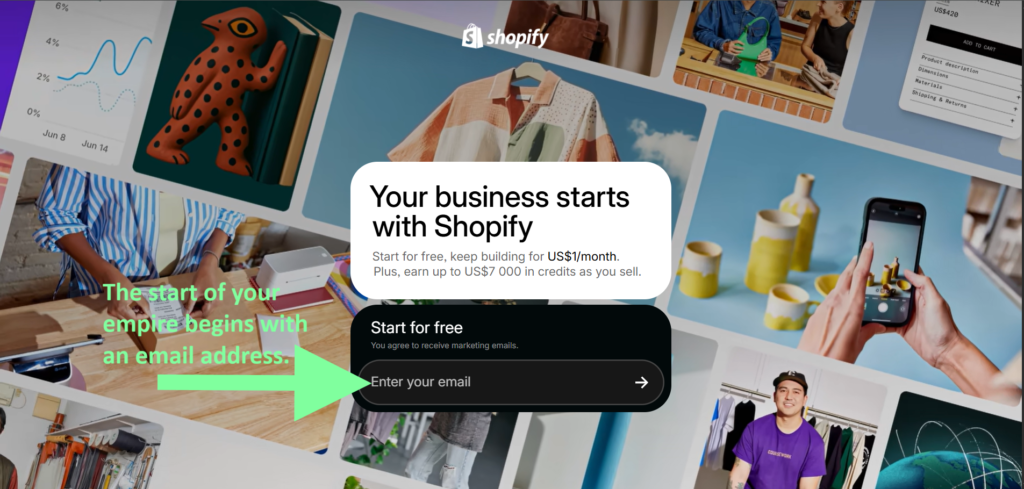
- Click here to open Shopify
- Enter your email and click "Start free trial".
- Local Tip: When it asks for your location, ensure it is set to South Africa. This ensures your store defaults to ZAR (Rands) rather than Dollars later on.
Step 2: The "Professional" Move (Domain & Email)
Nothing says "I’m a hobbyist" like using brandname@gmail.com. To be taken seriously by SA customers and banks, you need a professional email (like info@yourbrand.co.za).
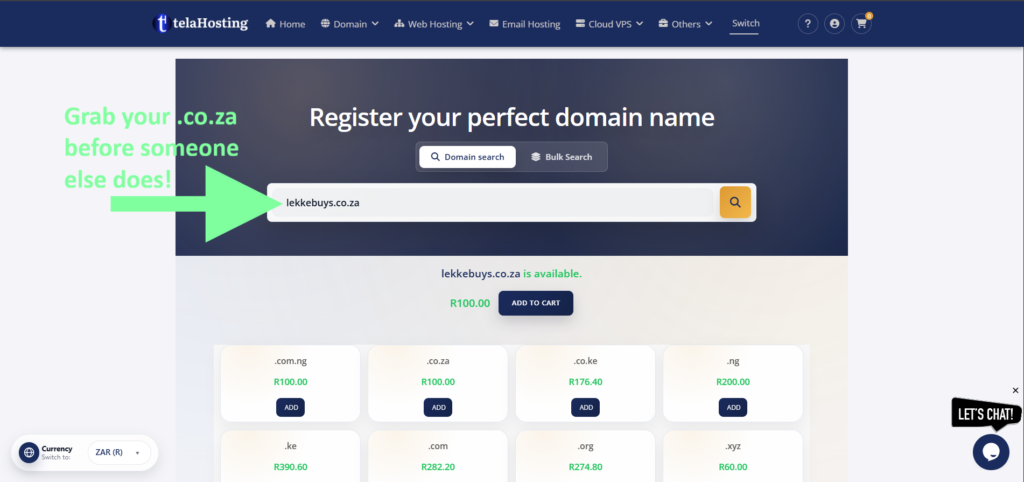
- Head over to telaHosting.
- Search for your business name. If the .co.za is available, grab it! It's much cheaper and more trusted in SA than a .com.
- Why telaHosting? They are local, they charge in Rands, and their support understands the SA context.
Step 3: Connecting Your Home
Now, we need to tell Shopify that you own that domain.
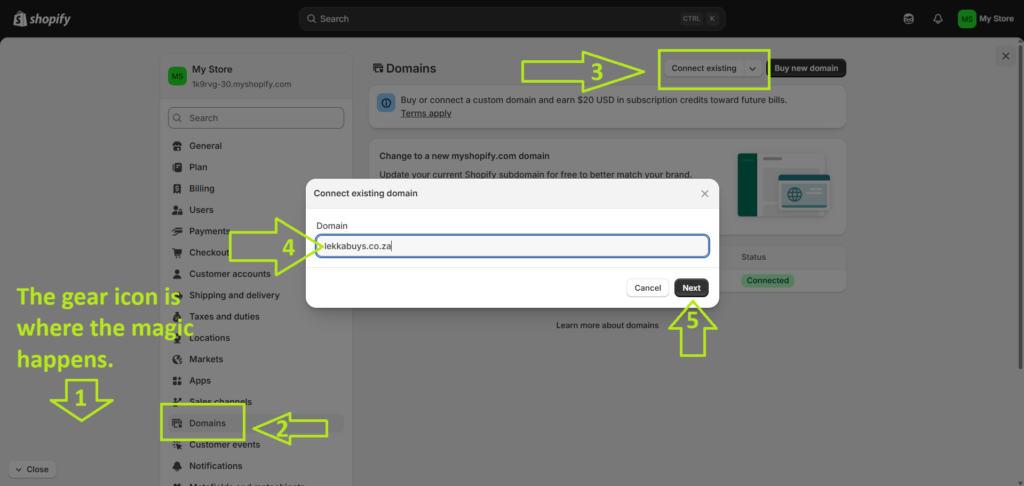
- In your Shopify Dashboard, go to Settings (the gear icon at the bottom left).
- Click on Domains > Connect existing domain.
- Type in your new domain from telaHosting.
Don't worry about the "DNS" talk for now; Shopify usually does the heavy lifting for you.
The Verdict: You’re officially an E-commerce Owner! 🇿🇦
Take a second to realize what you just did. You stopped "thinking about it" and actually laid the foundation. You have a store, you have a professional .co.za domain, and you’re already ahead of 90% of people who just dream about starting.
But a store without a way to get paid is just an expensive hobby.
Next up in Tutorial 2: We’re going to tackle the "Big Boss" of South African e-commerce: Payment Gateways. I’m going to show you exactly how to link Yoco and PayFast so you can start seeing those "Order Confirmed" notifications in Rands.
🚀 Don't Miss Tutorial 2!
Want me to send you the direct link to the Payment Gateway guide the second it’s live? Plus, I'll send over that SA Shopify Launch Checklist we talked about.
Drop your email below and let’s keep this momentum going: