Setting up Yoco on Shopify: The "Zero to Sales" Speedrun
Welcome to the fast lane! If you clicked this link, you’ve officially defeated your inner 'Indecisive Monster.' Well done. You chose Yoco, which means you’re the type of person who wants to get the job done so you can get back to the fun stuff (like deciding which font looks best for the 40th time).
I’ll be honest: when I first looked at the 'Payment Settings' in Shopify, I almost closed my laptop and went for a nap. It looks like a NASA control room in there. But Yoco is basically the 'microwave' of payment gateways—it’s fast, simple, and you don’t need a PhD to make it work.
Let’s get your store ready to take Rands before your coffee goes cold. If you get stuck, just remember: I’ve probably made the same mistake twice already, so you're in good hands.
1. Create your Yoco Business Account
First things first, you need a place for the money to land... you need a Yoco account.
👉 Sign up here using my link to get your referral bonus.
Once you're in, you don't need a card machine to sell online, but having one for pop-up markets later isn't a bad idea!
2. The "Secret Keys"
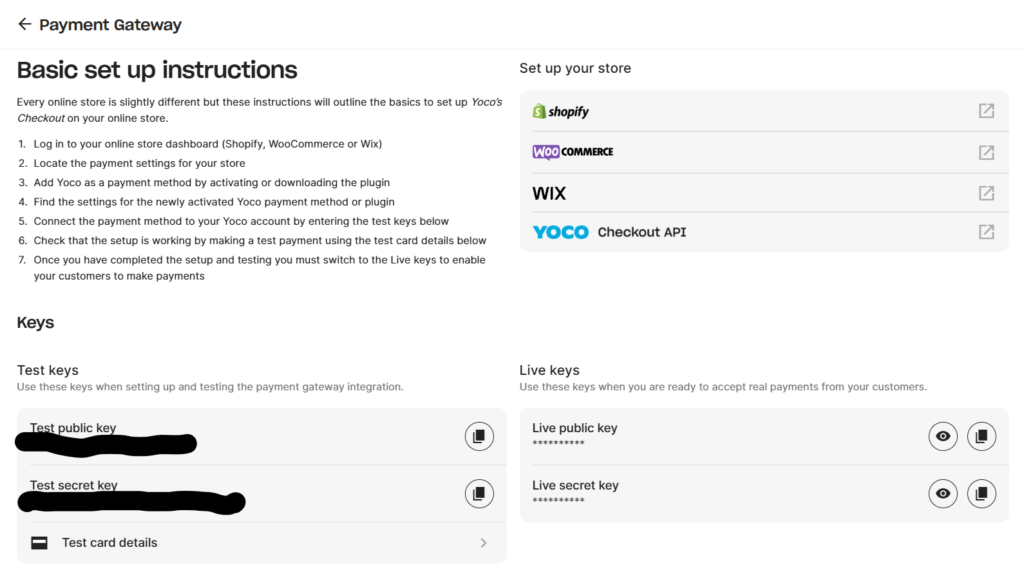
This is where people usually get stuck. You need to tell Shopify that your Yoco account is the one getting the money.
- Log into your Yoco Portal.
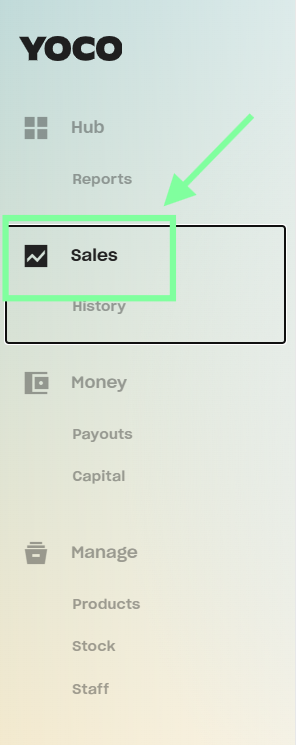
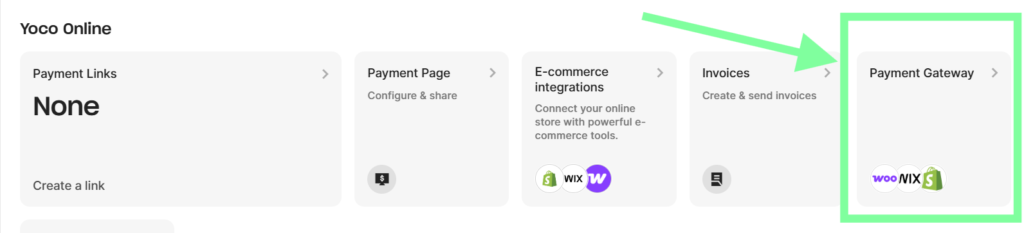
- Go to Sell Online > Payment Gateway.
- Look for your Live API Keys (it’s a long string of random letters and numbers).
Pro Tip: Do not share these with anyone. They are the keys to your digital safe.
4. Activating Yoco in Shopify
Now, jump back to your Shopify Dashboard:
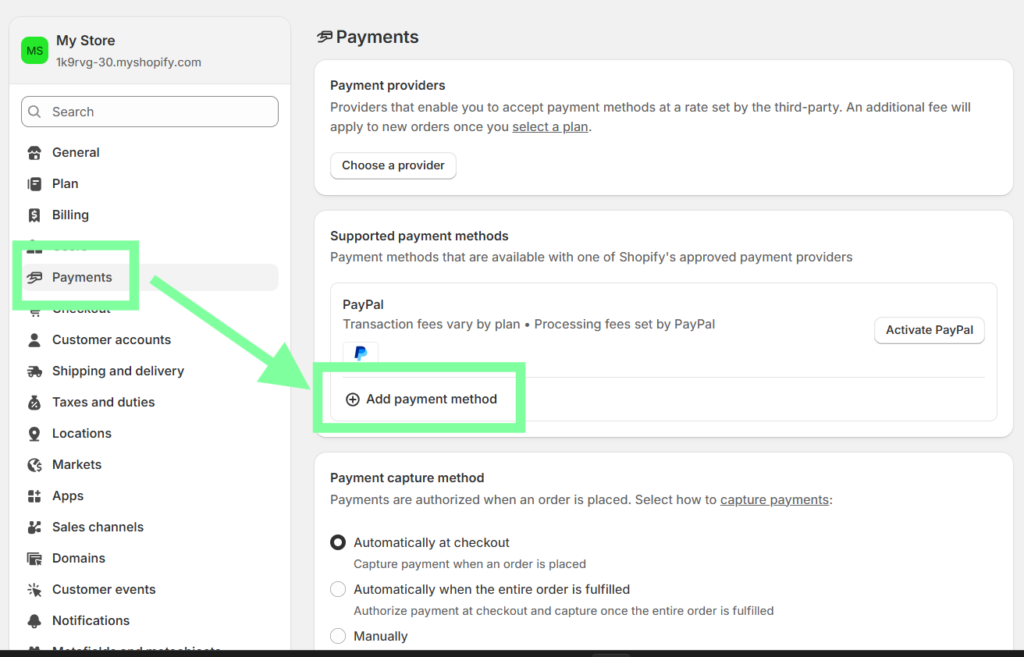
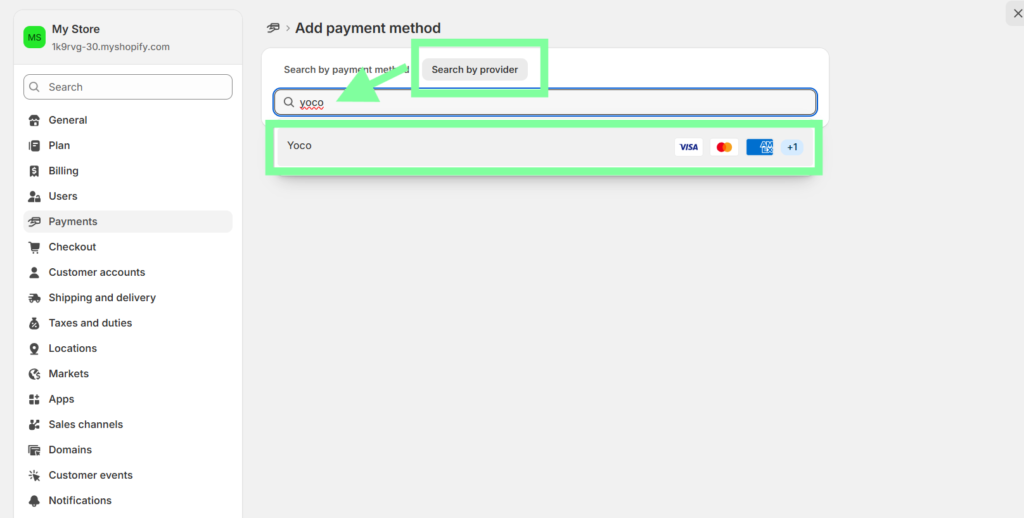
- Go to Settings > Payments.
- Under 'Additional Payment Methods,' click Add Payment Methods.
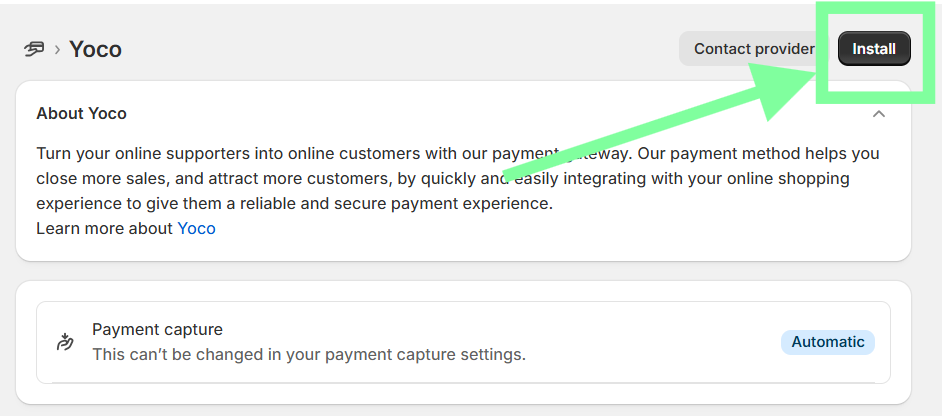
- Search for Yoco.
- Paste those API keys you just grabbed. Click Activate.
5. The Conclusion & Next Step
That’s it. You are officially open for business. If someone goes to your site right now and buys a product, that money is heading to your Yoco account.
But wait—how are you actually getting the product to the customer?
Next Step: [The Shipping Struggle: Setting up Bob Go and Pargo →]